The Tree Ate the Packets: Christmas Lights, Mains Noise and Your Gaming PC's Wi-Fi
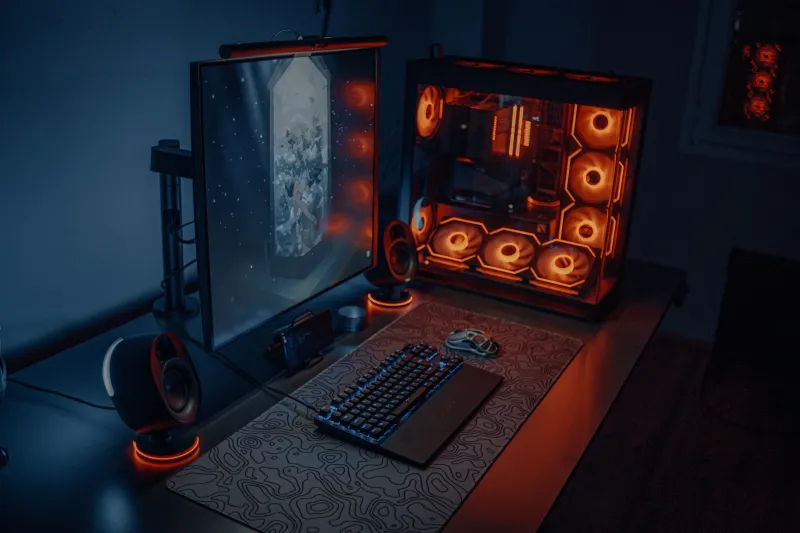
Every UK December has a familiar sequence. The tree goes up, the fairy lights come out, the plug-in snowman starts glowing, and suddenly your gaming PC develops a personality problem. Bullet registration feels late, voice chat cuts out, and the Wi-Fi adapter that was fine in October starts behaving like it has had three mulled wines. It is tempting to blame the router, the ISP or the game servers. Sometimes that is fair. Often, though, the festive season has introduced a new source of electrical or radio noise right next to the machine.
As of November 2026, most homes have more wireless gadgets than they did a few years ago, and the December decoration box is now a small pile of switch-mode power supplies, LED drivers, remote-control receivers and Bluetooth speakers. None of that is automatically bad. The trick is working out which kind of interference you have before you buy a new router you did not need.
First, decide whether it is Wi-Fi or the wider mains
Start with the cheapest test available: a cable. If you can borrow or buy a long enough Ethernet lead, connect the PC directly to the router and play for twenty minutes with the decorations on. If the lag and dropouts vanish, you are dealing with a wireless problem. If they remain, the issue is likely upstream of the PC's Wi-Fi adapter, which means the router, the broadband line, or electrical noise affecting the router itself.
That single test saves a lot of guessing. A PC that is fine on Ethernet but awful on Wi-Fi is giving you a radio or adapter clue. A PC that is still poor on Ethernet is telling you to look at the router's power, the phone line, or the broadband service. Do not skip this step because it feels old-fashioned. Cables remain the most honest diagnostic tool in the box.
The 2.4GHz suspect list
Fairy lights themselves are usually not broadcasting Wi-Fi interference. The more likely offenders are the cheap wireless controllers, smart plugs, LED drivers and Bluetooth devices that arrive with modern decorations. Anything that communicates over 2.4GHz, or emits a broad wash of radio noise near that band, can make a congested street even more crowded.
There is also a physical element. A large tree placed between the PC and the router can weaken the signal, especially if the tree is dense or has metallic decorations. A PC tucked under a desk with its antenna pressed against a wall was already marginal. Add a tree, a few visitors and a closed door, and the link quality falls off a cliff.
USB 3.0 is another classic. If your Wi-Fi adapter is a USB dongle plugged into a hub near an external drive, or if a festive USB decoration has found its way into the front panel, you can create local noise right beside the antenna. The fix is boring but effective: move the adapter to a rear port, use a short USB extension cable to lift it away from the case, and keep it away from USB 3.0 ports and hubs where possible.
Mains noise is the quieter culprit
Electrical noise is less intuitive than radio interference. Cheap plug-in power supplies, dimmer switches, extension leads with surge protection, and decorations daisy-chained from a single socket can all put rubbish onto the mains. That matters most for devices that rely on the mains for more than just power, such as powerline adapters and routers with marginal power supplies.
If your PC and the tree are sharing a cheap four-way extension lead, try separating them. Plug the PC and router into wall sockets or a decent extension lead of their own, and give the decorations a different circuit if you can. Do not overload sockets or daisy-chain adapters to make it work. UK mains safety is not a festive decoration. If a plug or adapter feels hot, smells odd or looks discoloured, stop using it.
A simple test is to turn the decorations off at the wall for ten minutes and repeat your usual gaming session. If the problem disappears, you have narrowed the field. Then turn them back on one at a time, ideally starting with the biggest transformer or the cheapest-looking adapter. It is tedious, but it is cheaper than replacing parts at random.
Cheap tests that actually tell you something
Run a continuous ping to your router while you play. On Windows, open Command Prompt and ping the router's address with a steady interval. If you see latency spikes or timeouts that line up with the tree being switched on, you have evidence. Repeat the test with the decorations off. If the ping is clean both times, your problem may be further out on the broadband line.
Use a Wi-Fi analyser on your phone to see how crowded the 2.4GHz band is in each room. You do not need to understand every graph. You just need to notice whether the signal near the PC is weak, whether neighbouring networks are strong, and whether moving the antenna or the tree changes anything. Also test the PC on 5GHz if it supports it. The 5GHz band has less range but far more room, and it is usually the single best upgrade for a congested British home.
Practical fixes that do not require rewiring
Move the router higher and into the open if you can. Keep it away from the tree, metal shelving and the back of a TV. Separate the 2.4GHz and 5GHz network names so you can choose the faster band deliberately rather than letting the PC pick badly. Update the Wi-Fi adapter driver from the manufacturer, not a random driver site. If the adapter is a tiny cheap dongle, a better one with an external antenna can be a sensible £20 to £30 fix.
Where possible, use Ethernet for the gaming PC and leave Wi-Fi for phones and decorations. If running a cable is impossible, consider a decent mesh system or a powerline kit, but test powerline adapters with the decorations on and off before committing. They are not magic, and they are sensitive to exactly the sort of mains noise Christmas brings.
Finally, keep the PC's own environment calm. Do not plug festive USB gadgets into the gaming rig, do not stack the tree lights against the case, and do not let anyone use the PC as a charging station for light-up novelties. A little separation goes a long way. The tree can have its corner. Your gaming PC just needs a clean signal and a socket it does not have to share with a glowing reindeer.