The Floor Is Not the Enemy: Practical Static Advice for UK PC Builders

Photo: Gabriel Loppé, Public domain, via Wikimedia Commons
There’s a particular kind of British PC-building anxiety that kicks in around November. The heating comes on, the air gets dry, you shuffle across a deep-pile carpet in wool socks, touch a door handle, and get a small electric reminder that you are, technically, a walking capacitor. Then you look at the gaming PC sitting on the floor and wonder whether you’ve been quietly cooking it for three years.
Let’s separate the folklore from the practical stuff. Static is real. Carpets are real. But most of the fear around them is borrowed from server rooms and 1990s advice that doesn’t map neatly onto a spare bedroom in Leeds.
Where the static worry actually comes from
Static discharge can damage electronics, and CMOS chips are more sensitive than a lot of people assume. That much is true. What’s also true is that a properly assembled PC inside a metal case is a fairly tough little box. The components you handle during a build — GPU, RAM, motherboard — are the vulnerable bits, not the finished machine sitting under your desk.
The risk peaks when the air is dry, when you’re wearing synthetic clothing, and when you’re shuffling around on nylon or wool carpet. A British winter creates those conditions nicely: central heating dries the air, and nobody wants to open a window in January just to raise the humidity.
But the scale matters. You are not going to kill a graphics card by walking across the landing. The realistic danger is handling a bare component after dragging your feet across the carpet, or building on a carpeted floor while wearing a fleece.
The bigger issue is often airflow, not sparks
Here’s the bit that gets overlooked. A case sitting directly on a thick carpet is usually more at risk from restricted intake than from static. Plenty of modern cases pull air from the bottom, and a deep pile will happily smother those vents. You end up with higher GPU temperatures, fans that ramp up during a quiet bit of a game, and dust pulled in from the carpet itself.
So before you buy anything anti-static, ask whether the case has room to breathe. If the answer is no, a hard surface under the machine will do more for its long-term health than any wrist strap.
Placement: floor, desk or something in between
A desk is ideal if you have the space. It keeps the PC away from carpet fibres, pet hair and the general muck that lives at ankle height. But not everyone has a desk deep enough, and a heavy case perched on a narrow shelf is its own problem.
If the PC has to live on the floor, give it a firm, flat surface. That can be a cheap hardboard offcut, a laminate sample board, or a purpose-made PC trolley with castors. The aim is simple: lift the case enough for bottom intakes to work, and stop it sinking into the pile.
Keep it away from radiators and out of direct sunlight. And if you’re in a rented flat with cream carpets, a mat under the case is also a sensible defence against the inevitable dust ring.
Handling parts without turning the spare room into a lab
You don’t need a full ESD workstation. You do need a routine.
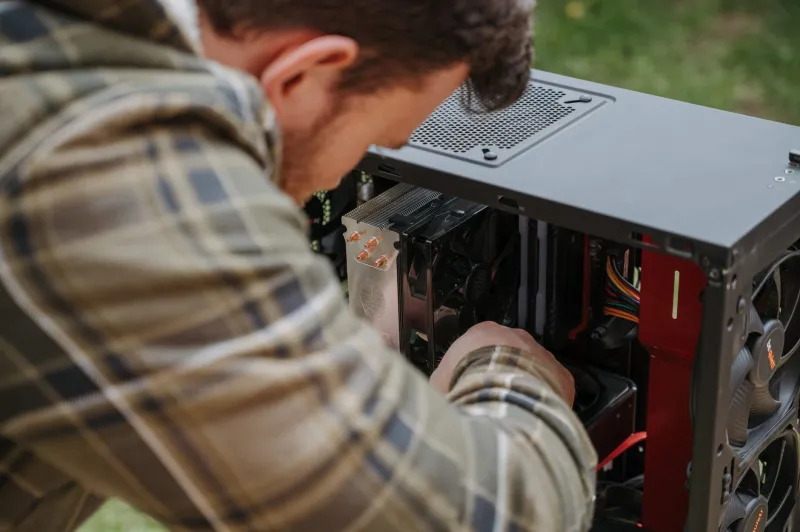
Build on a table if you can, not on the carpet. Touch an unpainted metal part of the case before you pick anything up — with the PSU plugged in but switched off at the wall, the case is earthed, and that brief contact equalises you with it. Hold cards and RAM by the edges. Don’t slide a motherboard across a carpet in its anti-static bag; the outside of those bags can carry a charge, and the inside is the safe side.
If you’re handling a lot of loose parts, a basic anti-static wrist strap is a few pounds and removes the guesswork. It’s not mandatory for one GPU swap, but it’s cheap peace of mind.
The cheap fixes that actually help
A chair mat is the classic answer for carpeted rooms. A clear PVC mat under the desk gives your chair a smooth run and gives the PC a stable surface. You can find them for around £12–£20 at places like B&Q, Screwfix or Argos, though thick pile may need a studded version.
A hardboard sheet from a timber merchant is even cheaper and does the same job for a static case. Ask for an offcut and you’ll often pay a couple of quid. It’s not pretty, but it works.
A grounding strap is worth having if you build regularly. The cheap elastic ones with a crocodile clip are fine for occasional use. Clip it to bare metal on the case, wear it on your wrist, and stop worrying.
What you don’t need is an anti-static mat, a ionising fan and a humidifier. They’re not harmful, but they’re solving a problem most home builders don’t have.
A sensible winter routine
Keep the room vaguely normal. Central heating is fine; a bone-dry room with the radiator on full and the window shut is less fine. If you’re doing a build in the middle of a cold snap, take your time, work on a table, and touch the case before you touch the parts.
And if your PC lives on carpet, check the bottom filter every few weeks. A vacuum with a soft brush attachment will do more for temperatures than any anti-static accessory. The floor isn’t the enemy. Ignoring it is.