A Terabyte Is Not a Warehouse: Storage Planning for a UK Budget Gaming PC
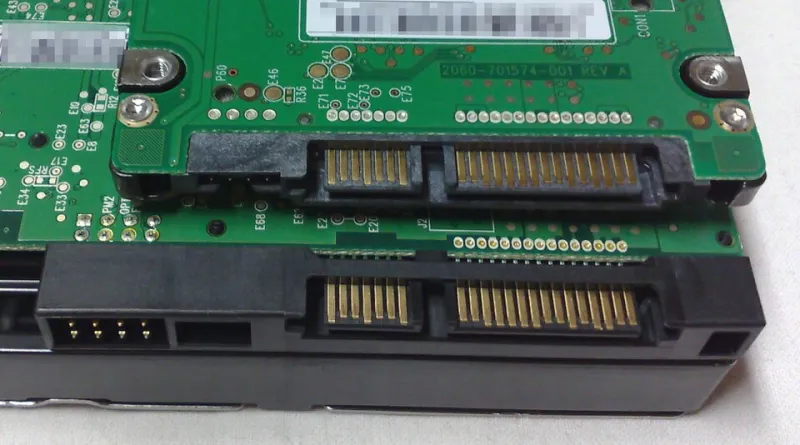
Photo: Dsimic, CC BY-SA 3.0, via Wikimedia Commons
Right, the box says 1TB. Windows says 931GB. That is not a con trick, just the difference between how drive makers sell capacity and how your PC counts it. The trouble is that British budget builders often treat that 931GB as a warehouse when it is really more of a decent-sized cupboard. Add Windows, a few launchers, a couple of current big-budget games and the usual clutter, and the free space graph starts looking like the last slice of cake at a office birthday.
This is not an argument for buying the biggest NVMe drive in the shop. It is an argument for planning storage like you plan the rest of a budget build: deliberately, with a bit of room for things to get messy.
The 931GB reality check
A fresh Windows 11 install is not enormous, but it is not tiny either. Once you account for the OS, updates, reserved storage, the page file, hibernation if you leave it on, and a few essential programs, you can easily lose 40GB to 60GB before a single game is installed. Add a browser, Discord, a couple of benchmark tools and the usual driver packages, and the boot drive is already doing work.
Then come the launchers. Steam, Epic, Battle.net, Xbox and EA are not just shortcuts. They keep caches, shader data, logs and update files. Some of that clears itself up; some of it sits there like a lodger who has stopped paying rent. A game listed at 120GB can temporarily want another 20GB or 30GB free just to apply a patch. If your drive is 95% full, the update can fail or shuffle files around in a way that makes a perfectly good SSD feel broken.
Where the space actually goes
Modern game sizes are the main culprit, but not in a tidy, predictable way. Some titles are beautifully efficient. Others treat storage like it is free. A headline shooter with a campaign, a battle royale mode and years of updates can push toward 200GB once you count the launcher and cache. A big open-world release with high-resolution textures can sit well past 100GB. Even a modest indie collection adds up when you keep ten of them installed because they are only small.
On a UK budget build, the usual pattern is a single 1TB NVMe drive because it is cheap, fast and saves cable hassle. That is a sensible starting point for a first build. It is less sensible when the same drive has to hold Windows, every game, your captures, a few mods and the spare install of Football Manager you swear you will return to. You end up deleting a game to install another, then redownloading it a fortnight later because your broadband is faster than your patience.
The budget-build trap
Here is the trap: it is easy to spend an extra £40 or £50 on a bigger NVMe drive and call it future-proofing. Sometimes that is the right call. But if the rest of the build is a £900 1440p machine, that money may be better spent on a second, cheaper drive or a proper backup. A single huge NVMe is convenient, but it is also a single point of failure for everything you own.
There is also the heat and slot issue. Many budget motherboards have one fast M.2 slot and a second that runs at a slower speed or shares lanes with something else. Filling both slots with expensive NVMe drives is not automatically better than using one good NVMe for Windows and a cheap SATA SSD for games. Check the manual before you buy. A board with two M.2 slots sounds generous until you find out the second one disables a SATA port you needed for a hard drive.
A storage split that makes sense
For most UK gaming builds, a three-tier split is the sweet spot. It does not need to be expensive, and it keeps the important bits separate from the bulky bits.
Boot and apps: 500GB to 1TB NVMe
This is where Windows lives, along with browsers, Discord, drivers and any app you want to open quickly. A 500GB drive is fine if you are disciplined. A 1TB drive is more comfortable and often better value per gigabyte. Keep games off it where you can. A boot drive with 20% free space is a happy boot drive.
Games: 1TB to 2TB SATA SSD or second NVMe
This is the drive you can fill with Steam libraries, Epic freebies and the big releases. A 2TB SATA SSD is often the sensible buy for a budget build. It is slower on paper than NVMe, but for most games the difference in load times is smaller than the internet would have you believe. If you play titles that lean on DirectStorage or stream assets aggressively, a second NVMe is worthwhile. If you are playing a mix of older games, esports titles and single-player stuff, SATA is perfectly respectable.
Cold archive: 2TB to 4TB hard drive or external drive
This is for old installs, screenshots, video captures, mod archives and the game you uninstall every six months but never quite abandon. A mechanical hard drive is fine here. It is not a gaming drive. Do not install a modern open-world game on a slow external HDD and then blame the PC when textures pop in like a slideshow. Use it for storage, not for playing.
When SATA beats a bigger NVMe
If you are choosing between a 2TB NVMe drive and a 1TB NVMe plus a 2TB SATA SSD, the second option is often better for a budget gaming PC. You get more total space, you keep the fast drive for Windows, and you are not paying the NVMe premium for files that do not need it. A decent 2.5-inch SATA SSD from a known brand is easy to fit, does not need a heatsink, and can be moved to another build later.
The exception is a small-form-factor build with no room for a 2.5-inch drive, or a laptop-style setup where every cable counts. In those cases, a single larger NVMe makes more sense. Just be honest about how much space you actually need, rather than buying for the person you imagine you will become.
The cold archive is not a gaming drive
One of the most common mistakes is buying a cheap external hard drive and treating it as an extension of the game library. It works, technically. It is also slow, fragile if knocked, and often slower than redownloading a game on a decent fibre connection. Use an external drive for backup and cold storage. Keep active games on an internal SSD. If you must use an external SSD for games, make sure it is a proper USB 3.2 drive and not a flash stick pretending to be one.
For UK buyers, CeX and eBay can be fine for a second-hand SATA SSD if you check the health and warranty. But storage is one of the few areas where buying new is usually worth the extra. You do not want to save £15 and inherit someone else's worn-out drive.
The final check before you buy
Before you add a drive to the basket, do three things. Check your motherboard manual for M.2 slot speeds and shared lanes. Check how many SATA ports you have free. And check whether your case actually has a 2.5-inch mount or a spare 3.5-inch bay. A £50 drive is not a bargain if you have to buy a £15 bracket and spend Sunday afternoon drilling holes in a budget case.
A 1TB drive is still a good place to start. It is just not a warehouse. Treat it as a fast working space, add a cheaper drive for the bulk, and keep a cold copy of the stuff you would hate to lose. That is a more British approach to storage: sensible, a bit thrifty, and built to survive a few winters.